Hair salon booking software for a real appointment book.
Trimelo connects online booking, appointment scheduling, staff calendars, client history, POS and reminders for Australian hair salons and barbershops. When a slot opens, AI SMS backfill can offer it to your opted-in waitlist one client at a time.
Inside Trimelo
See the appointment book before you switch.
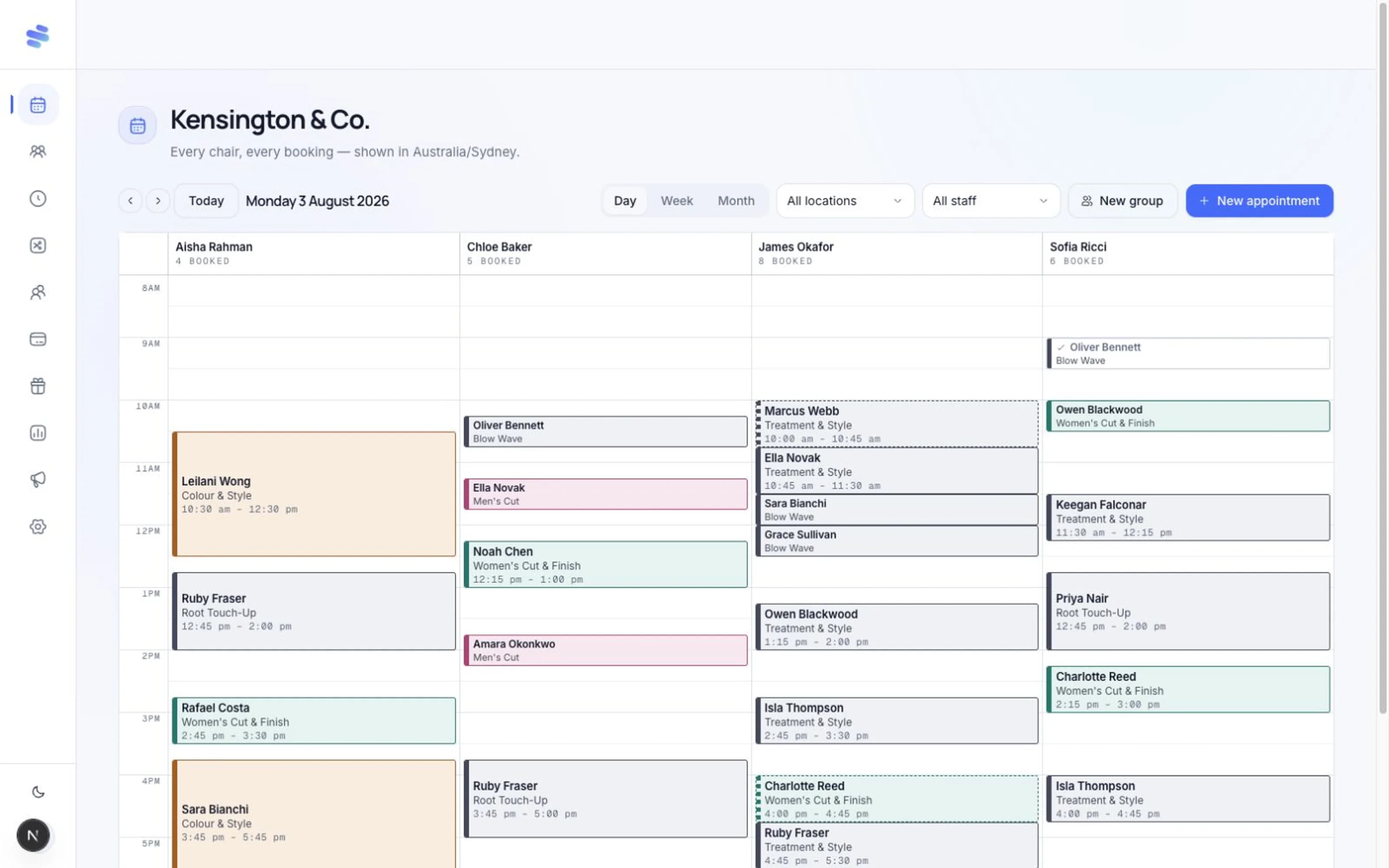
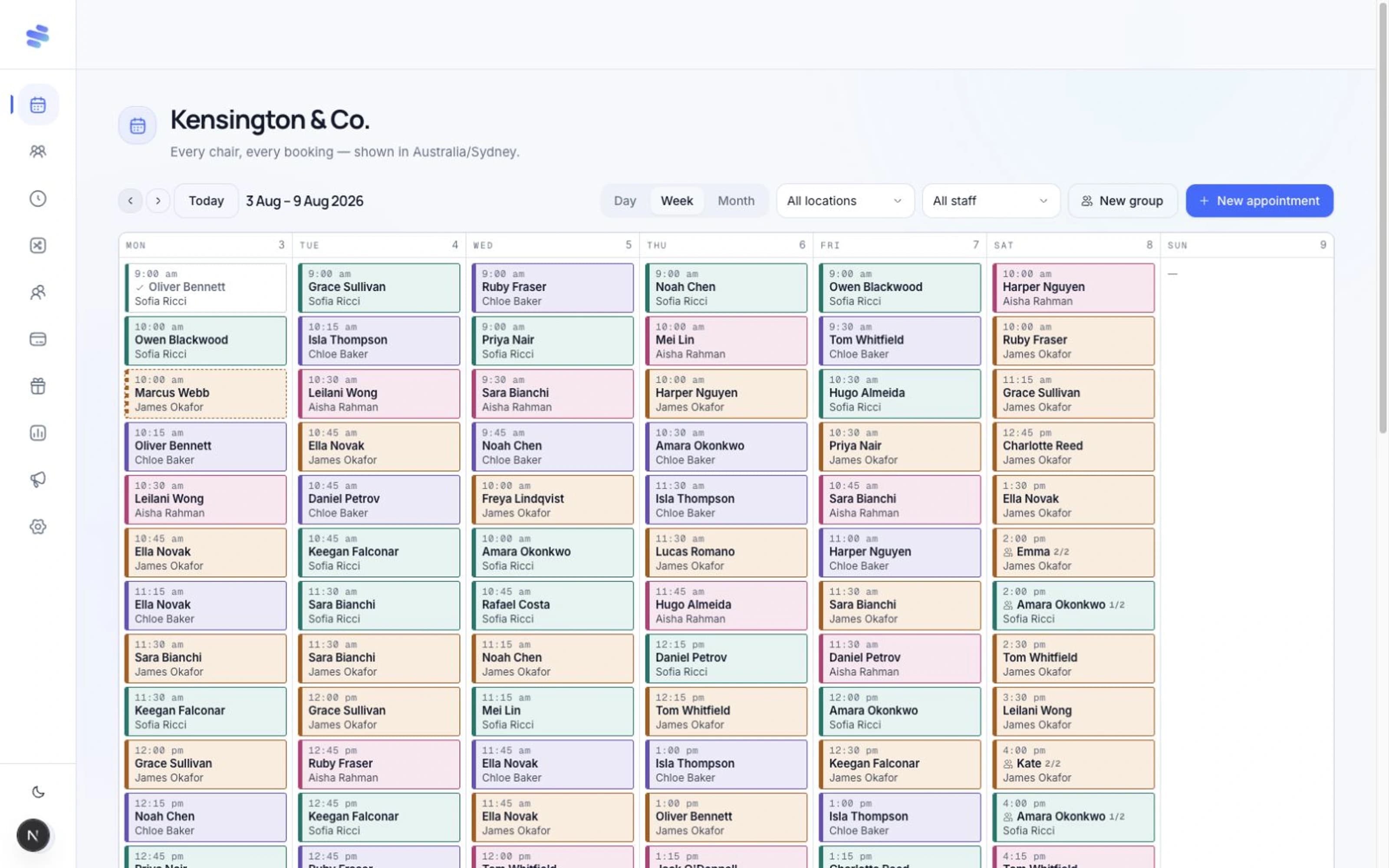
These are Trimelo product screens with sample salon data, not customer results. Here is how an appointment moves from service setup into the team's day and through checkout.
- 01
Set up the services
Add each service's duration and eligible staff. Your online booking page then checks the same availability as the team calendar. Read the online booking guide.
- 02
Work from one calendar
Check the day by staff member or zoom out to the week. Appointment blocks show the service and time, so the team can see what is booked before adding another client.
- 03
Finish the visit
Take the service through checkout in Trimelo's connected POS. See how booking and POS work together.
When a cancellation opens a slot, the AI SMS backfill guide explains how Trimelo offers it to opted-in waitlist clients one at a time.
- Online booking and staff scheduling in one live calendar
- Client CRM, deposits, POS and reminders connected
- AI SMS backfill included from seat one
- Built for Australian salons and barbershops
Hair salon appointment scheduling that reflects the service
Set the duration, price and eligible staff for each service so the online booking page and the team calendar use the same live availability.
Long appointments, staff breaks and group or party bookings stay inside the same conflict-protected appointment book. The booking flow does not promise a time the calendar cannot hold.
Client history beside the calendar
Keep profiles, notes, visit history and tags together so the team can prepare for a returning client without searching another tool.
Booking confirmations and scheduled reminders go out by SMS and email. Transactional booking messages are not counted against the separate marketing-email allowance.
From booking to payment
Take deposits, keep a card on file for agreed no-show or late-cancellation terms, complete service checkout and issue refunds through your connected Stripe account.
Trimelo does not add a booking commission or client-facing platform fee. Your business sets its own booking and cancellation terms and shows them before the client agrees.
Recover the gap without chasing a list
When an appointment is cancelled, Trimelo checks the opted-in waitlist first and offers the available slot by SMS to one client at a time. The chair is held during each reply window.
When someone accepts, the appointment is booked and confirmed. The workflow is limited to appointment availability; Trimelo does not claim to be an AI voice receptionist.
Switch your hair salon appointment book carefully
Import clients, services and history from Fresha, Timely, Square or a generic CSV. Rebuild staff skills and opening hours, then run real bookings during the 14-day trial before changing every public link.
Keep your old booking link available during a soft cutover. Move Instagram, Google and Linktree after the team trusts the new calendar, payment and reminder workflows.